Storage-period extensions (recording requests and answers)
The screenshots and data in these docs belong to a sample company (Sample Logistics Co., Ltd.); the depositors, items, documents and numbers are fictitious.
Storage-period extensions
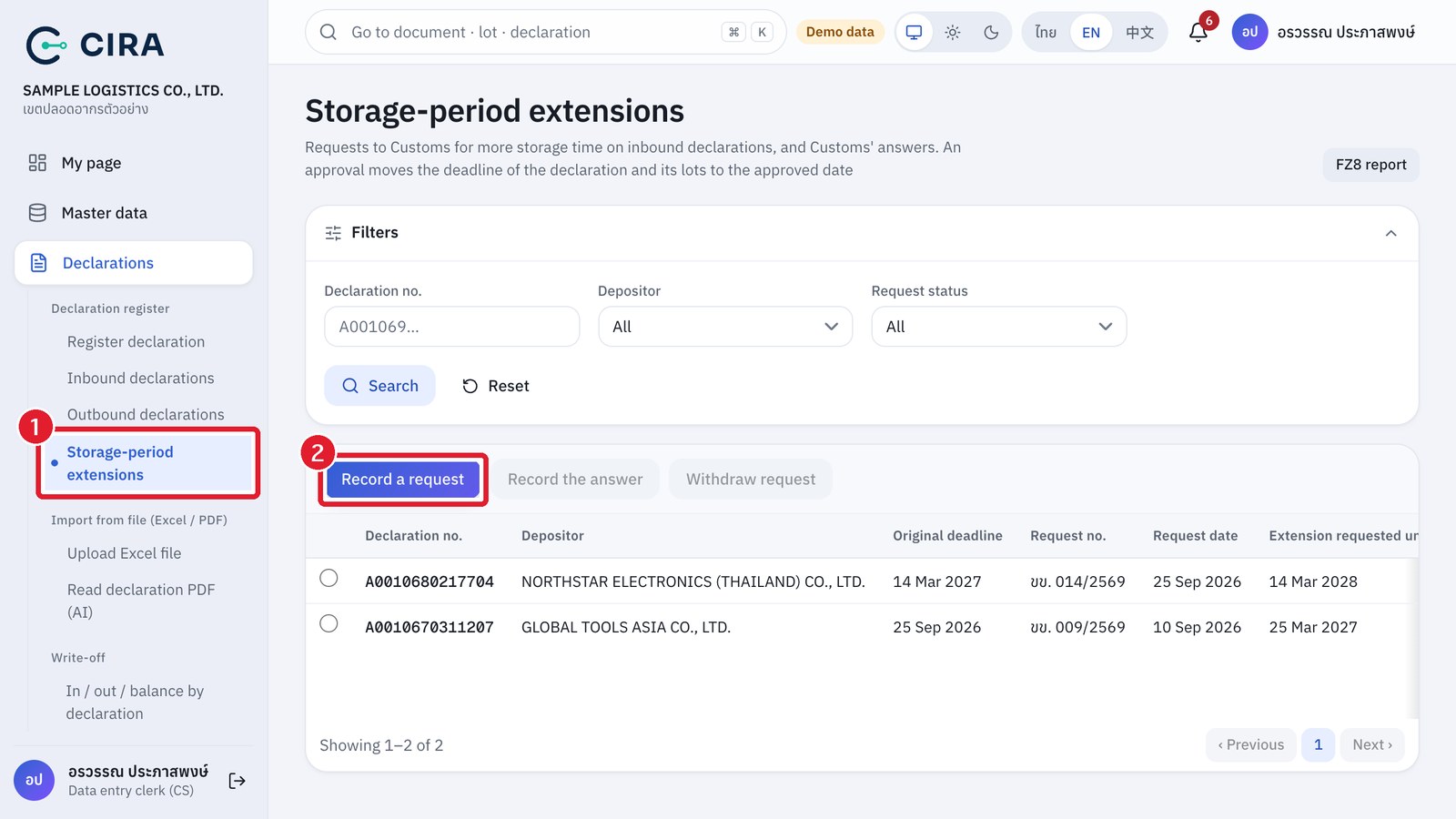
Goods may stay in the zone until the deadline of the inbound declaration (status 0409 date + the storage period in the Free Zone set in section 4.3, 2 calendar years by default). When goods must stay longer, the operator files a request with Customs, then records the request and the answer on this page. This works for every type of operator, but only for inbound declarations that have a status 0409 date and still hold goods.
| What | Who can do it |
|---|---|
| Record a request · record a Not approved answer · Withdraw request | Data entry clerk (CS) · Warehouse manager · Administrator |
| Record an Approved answer | A user other than the one who recorded the request (such as another CS) or a warehouse manager · Administrator. CS cannot record the approval of a request they recorded themselves |
| Record a request together with its approval in one go | Warehouse manager · Administrator only |
| View the request register | Every role that can view the declaration register · Customs officers see it through report FZ8 |
- Menu Declarations › Storage-period extensions → press Record a request.
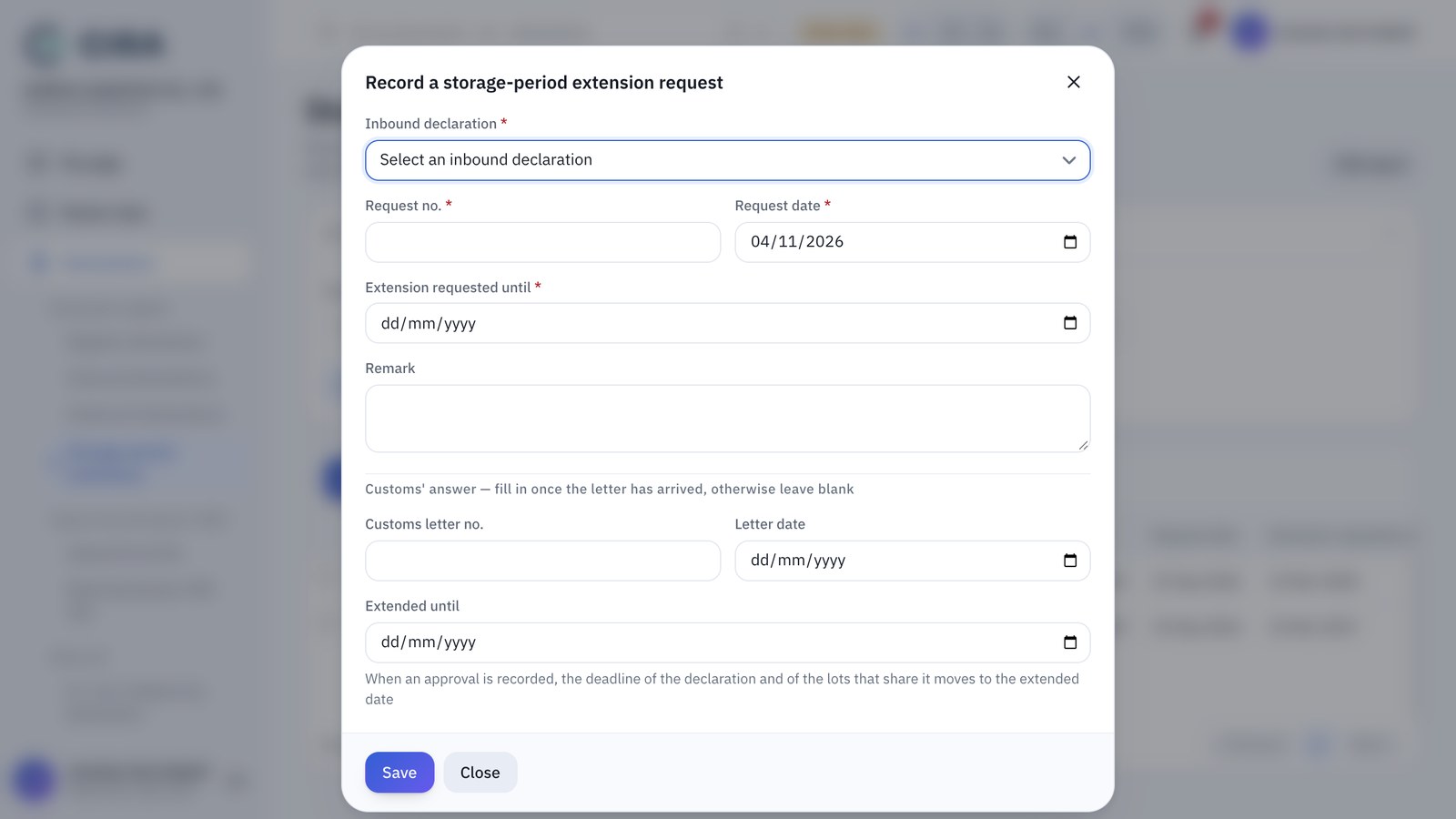
- Select the Inbound declaration (one that still holds goods), then fill in Request no., Request date and Extension requested until (must be after the original deadline) → Save. The status becomes Awaiting Customs. A declaration can have only 1 request awaiting an answer at a time.
Record a storage-period extension request
- When the customs letter arrives, select the request row and press Record the answer → choose Approved or Not approved, then fill in Customs letter no., Letter date and Extended until (must be after the original deadline and not later than the date requested). For Not approved, the Letter date is enough.
- On approval, the deadline of the declaration and of its lots moves to the new date at once (lots with their own Shelf life (days) keep their date) and shows in reports FZ4, FZ6 and FZ8. A Not approved answer does not change the deadline. To drop a request you no longer need, press Withdraw request (with a reason). Everything recorded goes into the audit log.
- If you already have the letter when you record the request: a warehouse manager or administrator can fill in the Customs' answer section in the same window, and the system records it as Approved at once.
- If an approval was recorded wrongly: a recorded answer cannot be edited. Record a new request with the correct answer, and the system moves the deadline to match the latest approval.