Job orders
The screenshots and data in these docs belong to a sample company (Sample Logistics Co., Ltd.); the depositors, items, documents and numbers are fictitious.
On this page
Job orders
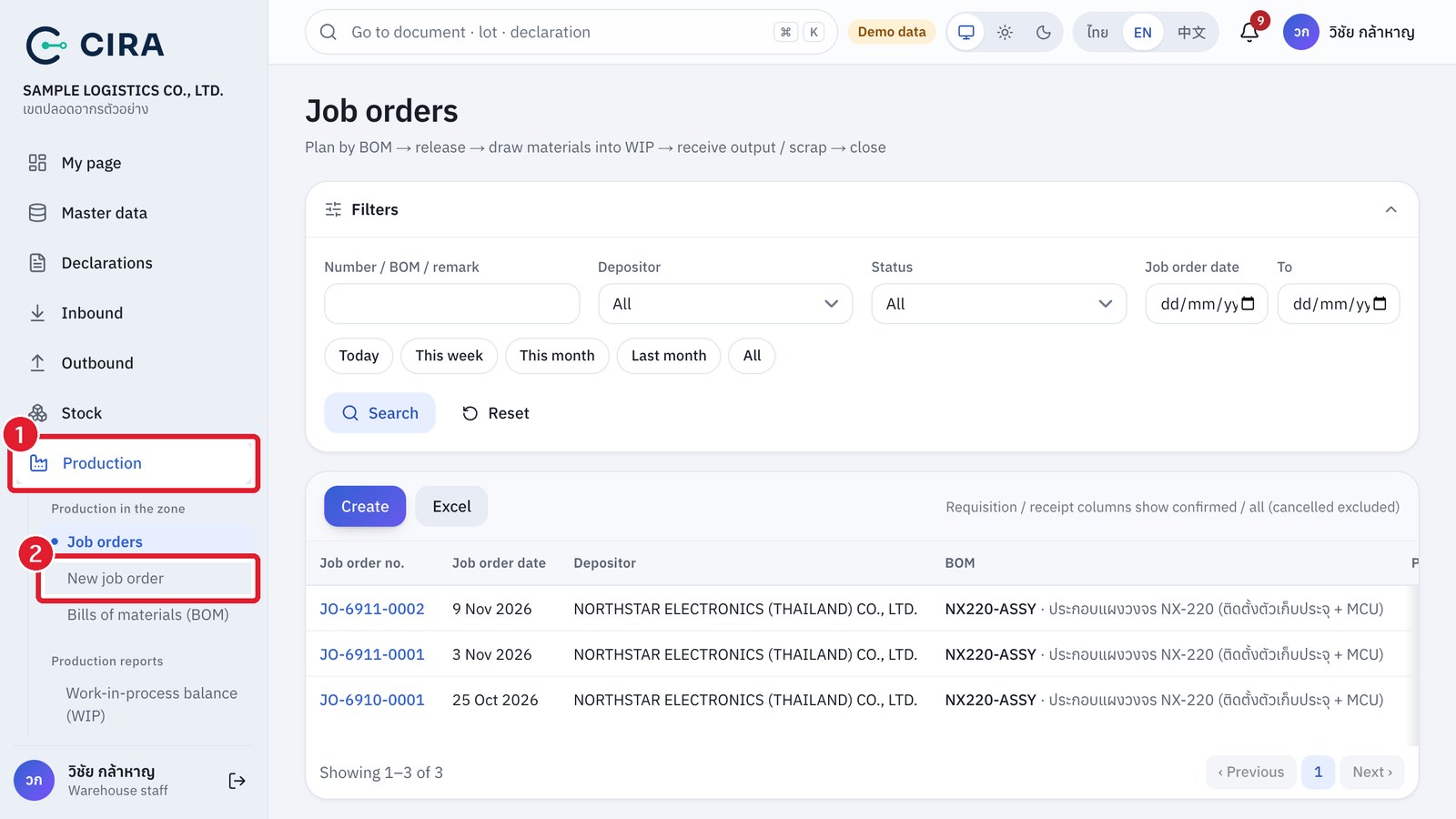
Released job order
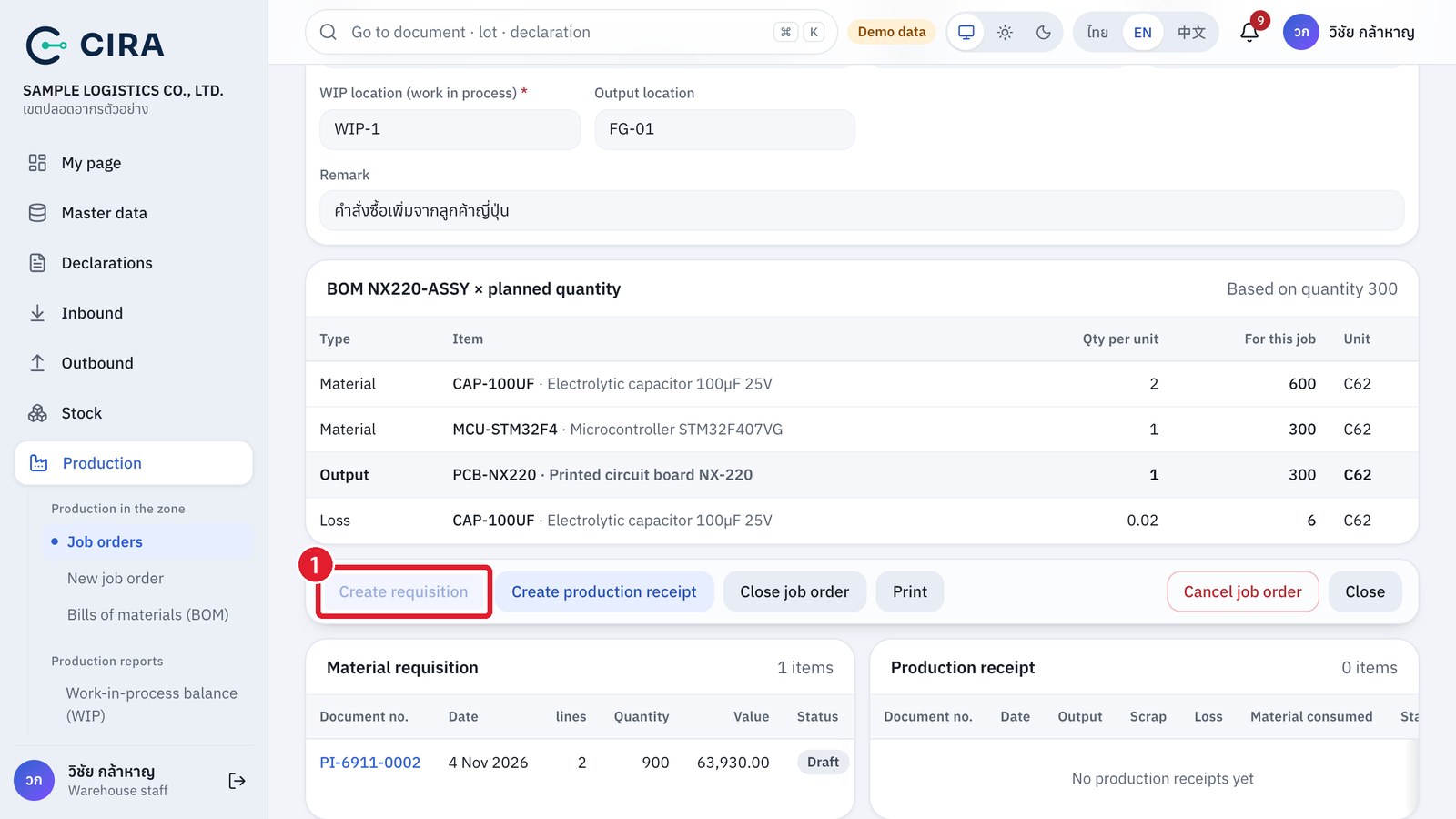
- Production › New job order → date, depositor, warehouse, BOM (or "produce without a BOM"), WIP location, output location, planned quantity → Save (F8). The system shows a "BOM × planned quantity" table for you to check.
- Press Release. The document header locks, and you can then create the requisition.