Taking snapshots (at least every 30 days)
The screenshots and data in these docs belong to a sample company (Sample Logistics Co., Ltd.); the depositors, items, documents and numbers are fictitious.
On this page
Upload snapshot
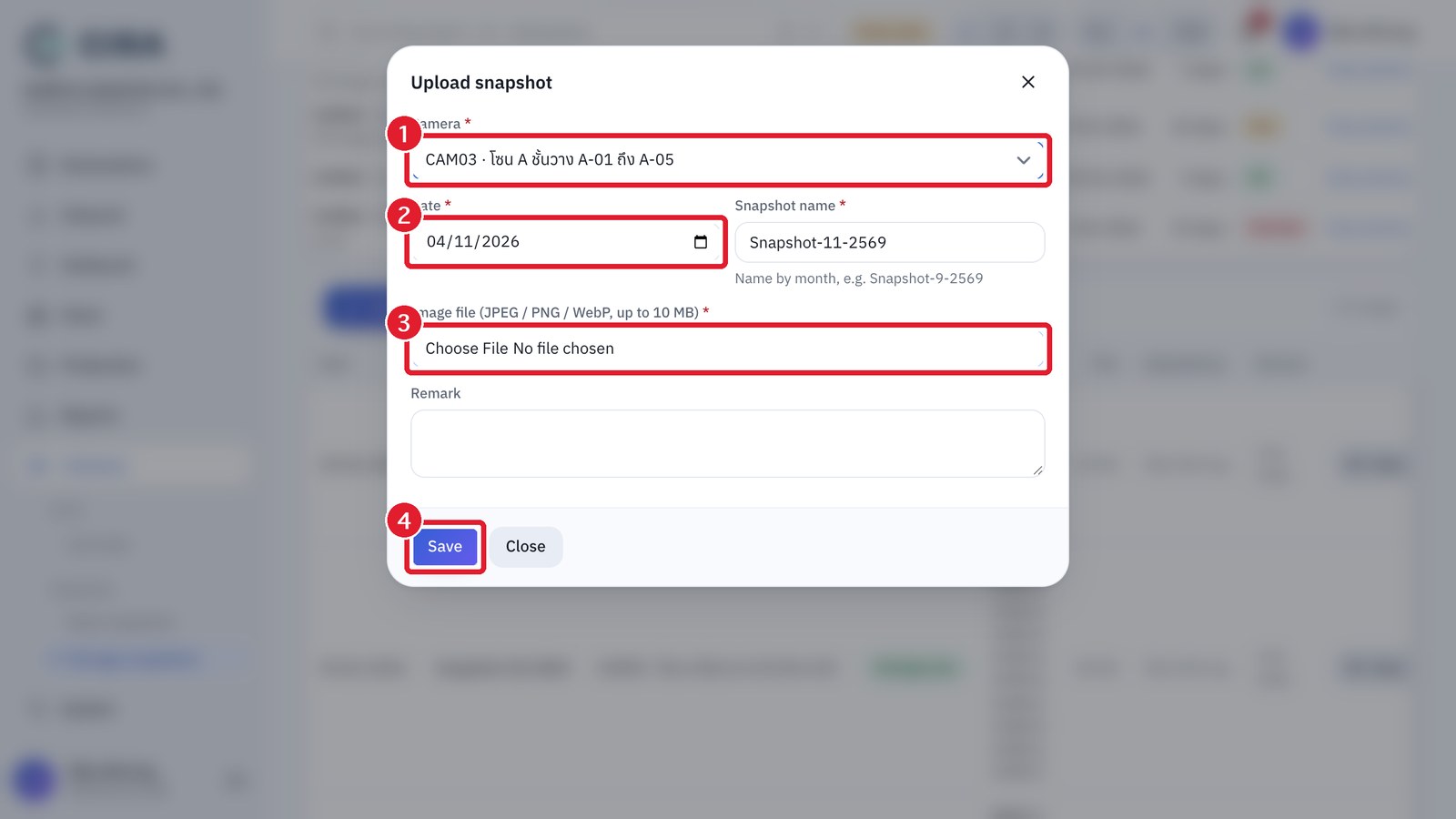
- Cameras › Storage snapshots (or Gate snapshots) → Upload snapshot (F2).
- Select the camera, date and image file. The name is filled in automatically as Snapshot-month-Buddhist year (for example Snapshot-10-2569, the same form officers are used to), and you can edit it. The system checks the real content of the file, and a file that is not an image is refused.
- Uploaded images can be seen from the list page, the single-camera page and the "View snapshot" button in the balance report. Only warehouse staff, managers and administrators can delete them, and each deletion is recorded in the audit log.
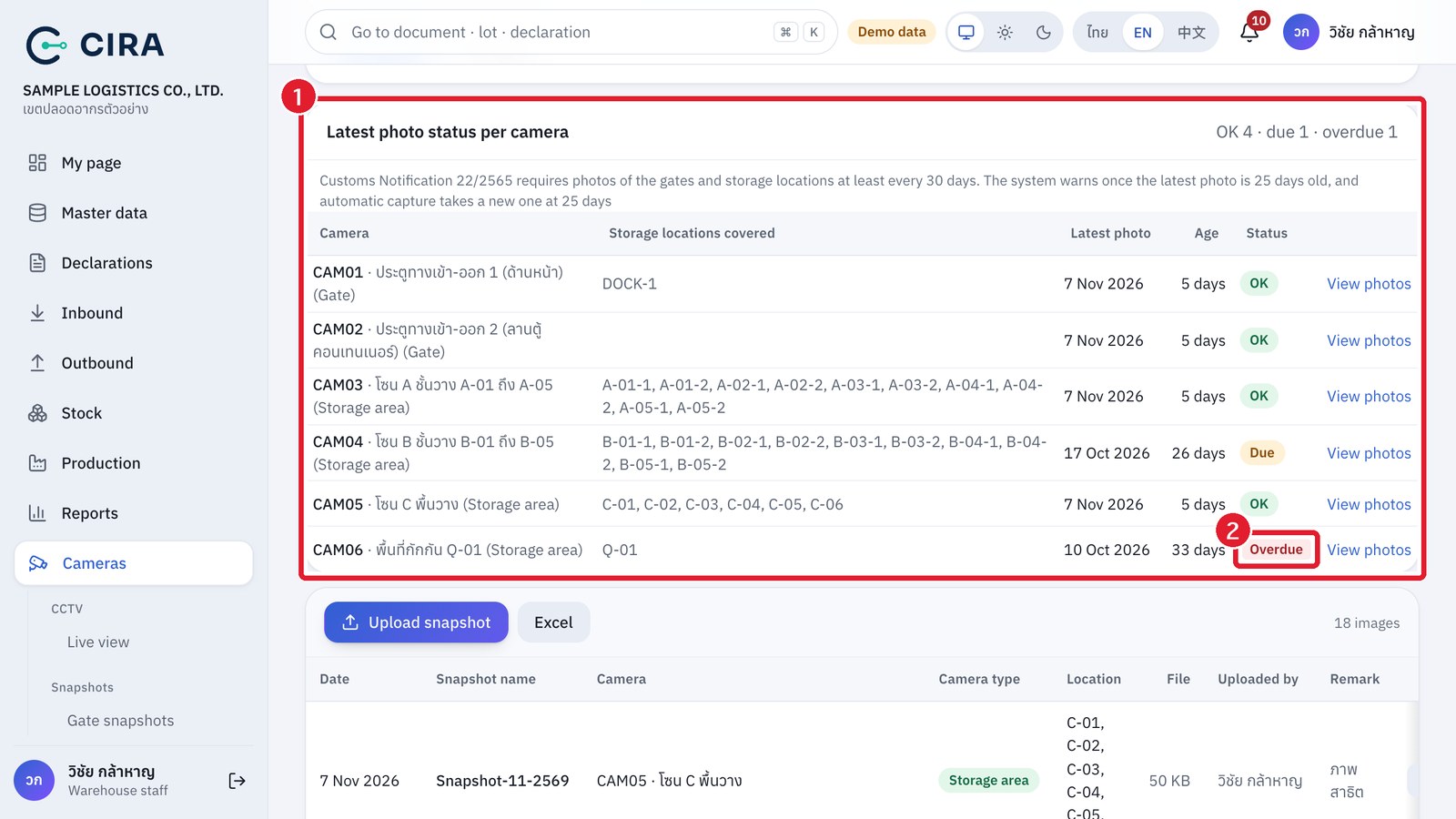
- See which cameras need a new photo: the Latest photo status per camera table at the top of the snapshot page shows the latest photo of every camera, the days since it was taken and its status: OK · Due (latest photo 25–30 days old) · Overdue (over 30 days) · No photo yet. Customs Notification 22/2565 requires photos of the gates and storage locations at least every 30 days, and the photos must link to the stock report. The bell warns you when a camera is due or overdue.
Latest photo status per camera