Goods issue (from an approved withdrawal request)
The screenshots and data in these docs belong to a sample company (Sample Logistics Co., Ltd.); the depositors, items, documents and numbers are fictitious.
Create a goods issue from this request
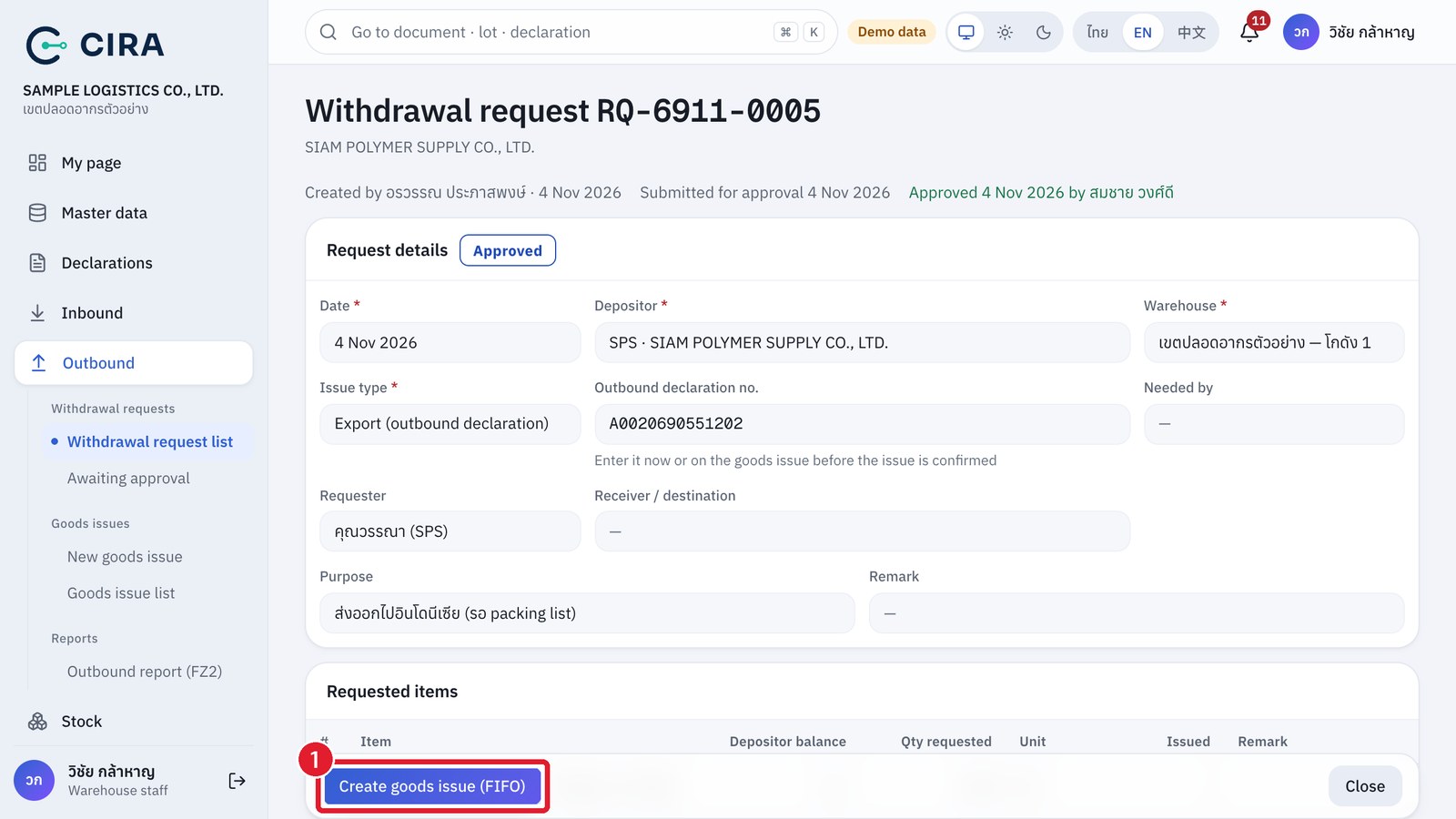
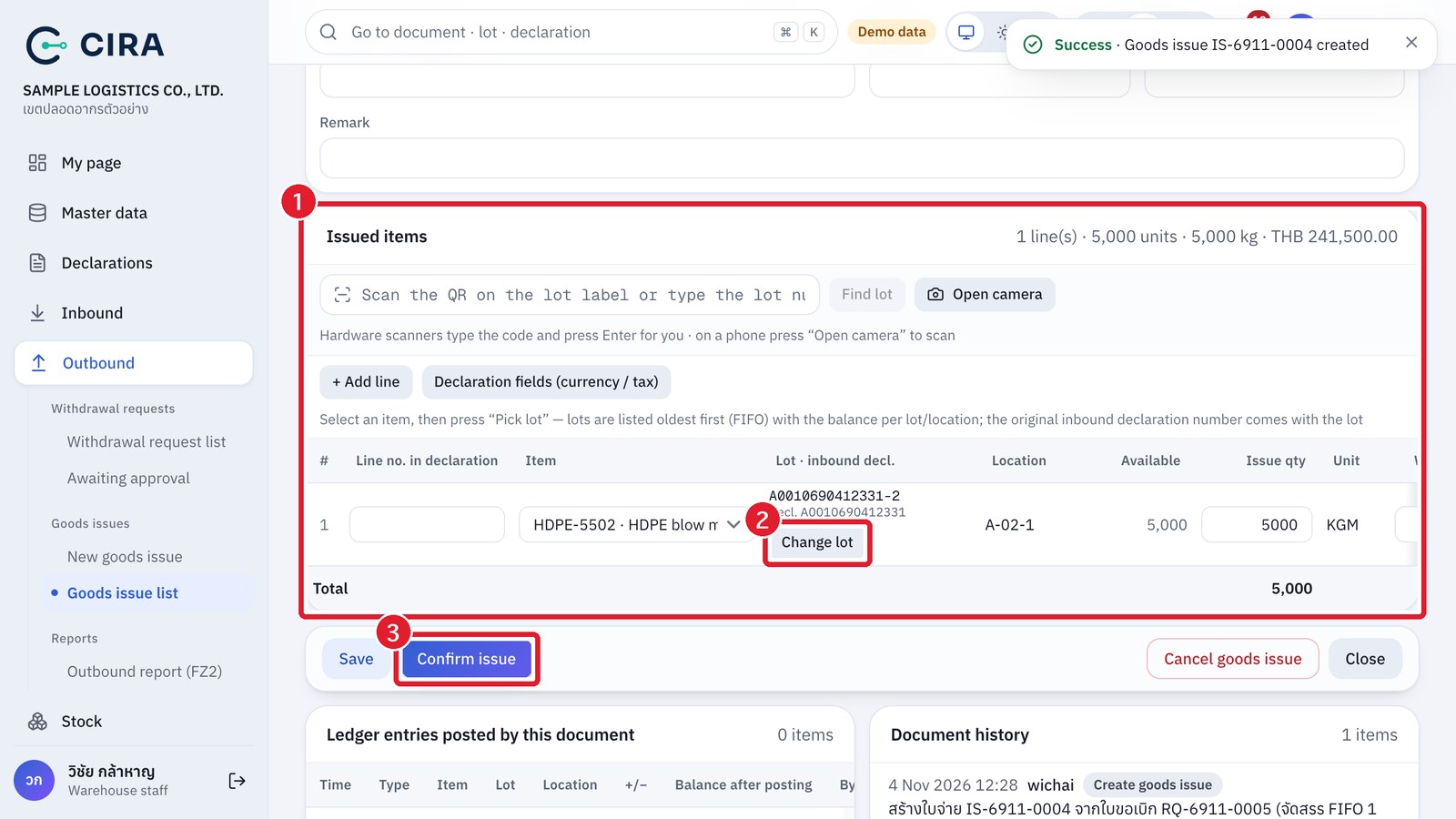
Draft goods issue
- Dashboard › Approved requests awaiting issue → open the withdrawal request → Create goods issue (FIFO) → F8.
- The system opens a "Draft" goods issue and allocates lots first-in first-out for that depositor (the oldest lot that still holds goods). If stock is short it says "insufficient stock for some lines" and you can issue part of the quantity.
- Check or change the lot and location actually picked (the Pick lot button on the line, sorted first-in first-out), and enter the vehicle, driver and Invoice.
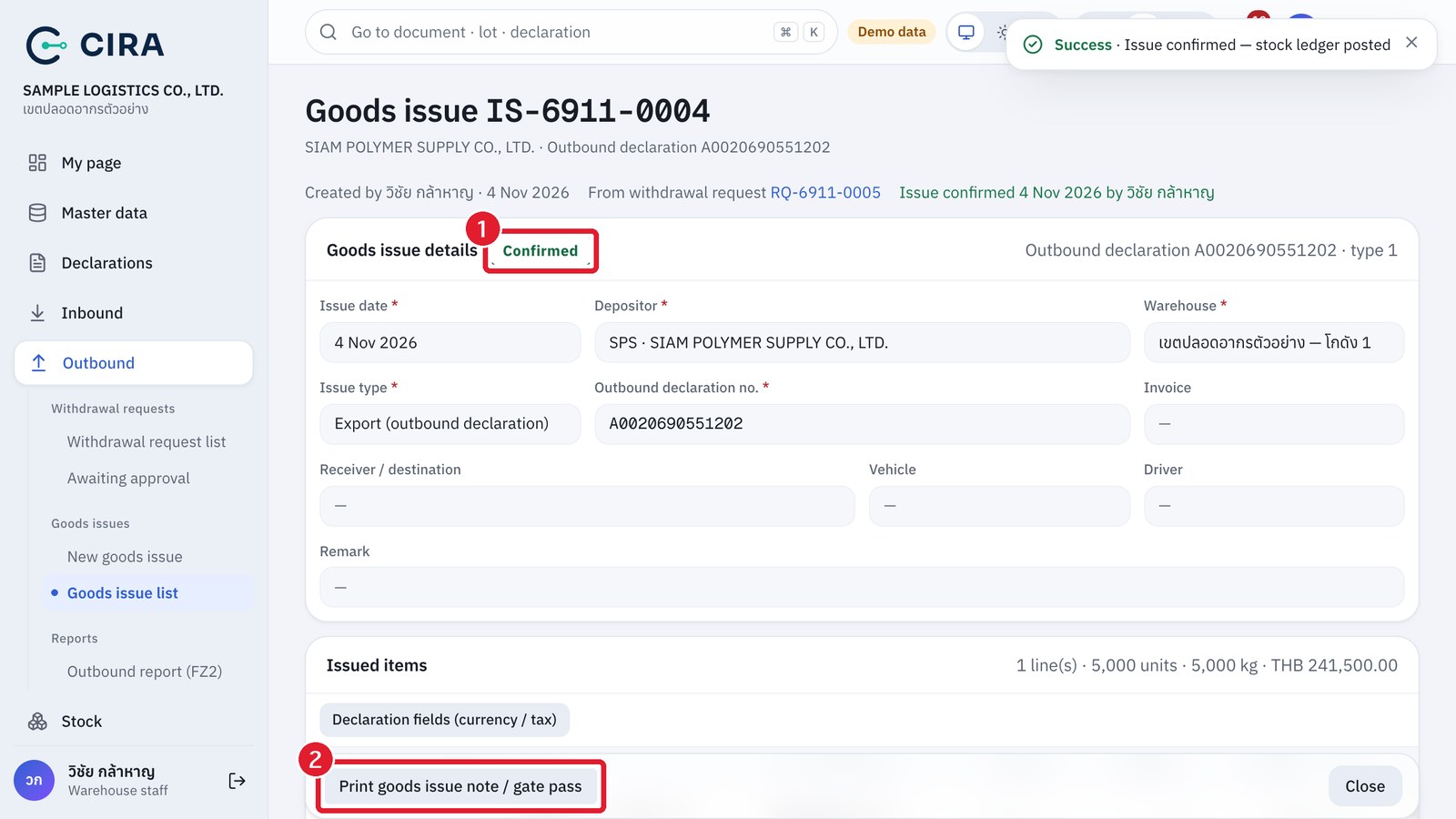
- Confirm issue: the system writes to the stock ledger (−) and writes off against the inbound declaration of each lot. The withdrawal request becomes "Completed" once fully issued.
- Print goods issue note / gate pass for the truck.
Confirmed goods issue
QR scan
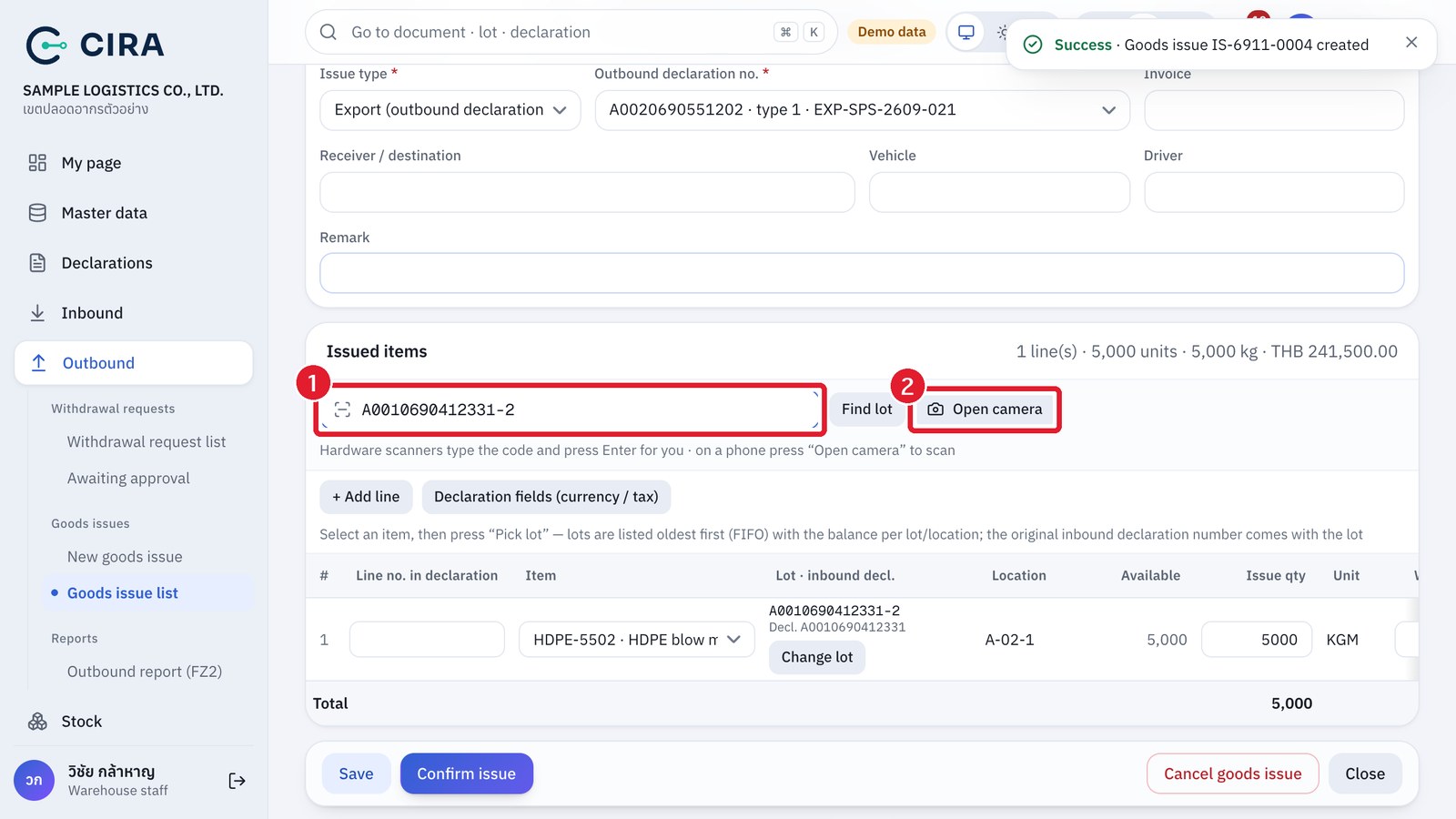
- Scanning the same lot again does not add a new line; it takes you to the quantity field of that line. A lot of another depositor, a lot with no goods or a lot past its deadline is reported at once. A line added by scanning still needs its quantity entered and saved as usual.
- The "Declaration fields (currency / tax)" button opens the Foreign currency amount, Sale price and Tax columns for each line (optional).
- Issuing without a withdrawal request (special case): Outbound › New goods issue is available, but a warehouse manager must confirm it (configurable at System › Settings).
- Lots past their deadline (2 years from customs release, or the extended date, section 1.6): the system warns you, and a manager must confirm and accept.
- A goods issue from a withdrawal request must use the same warehouse, issue type and outbound declaration (if the request names one) as the approved request, and cannot exceed the approved quantity.