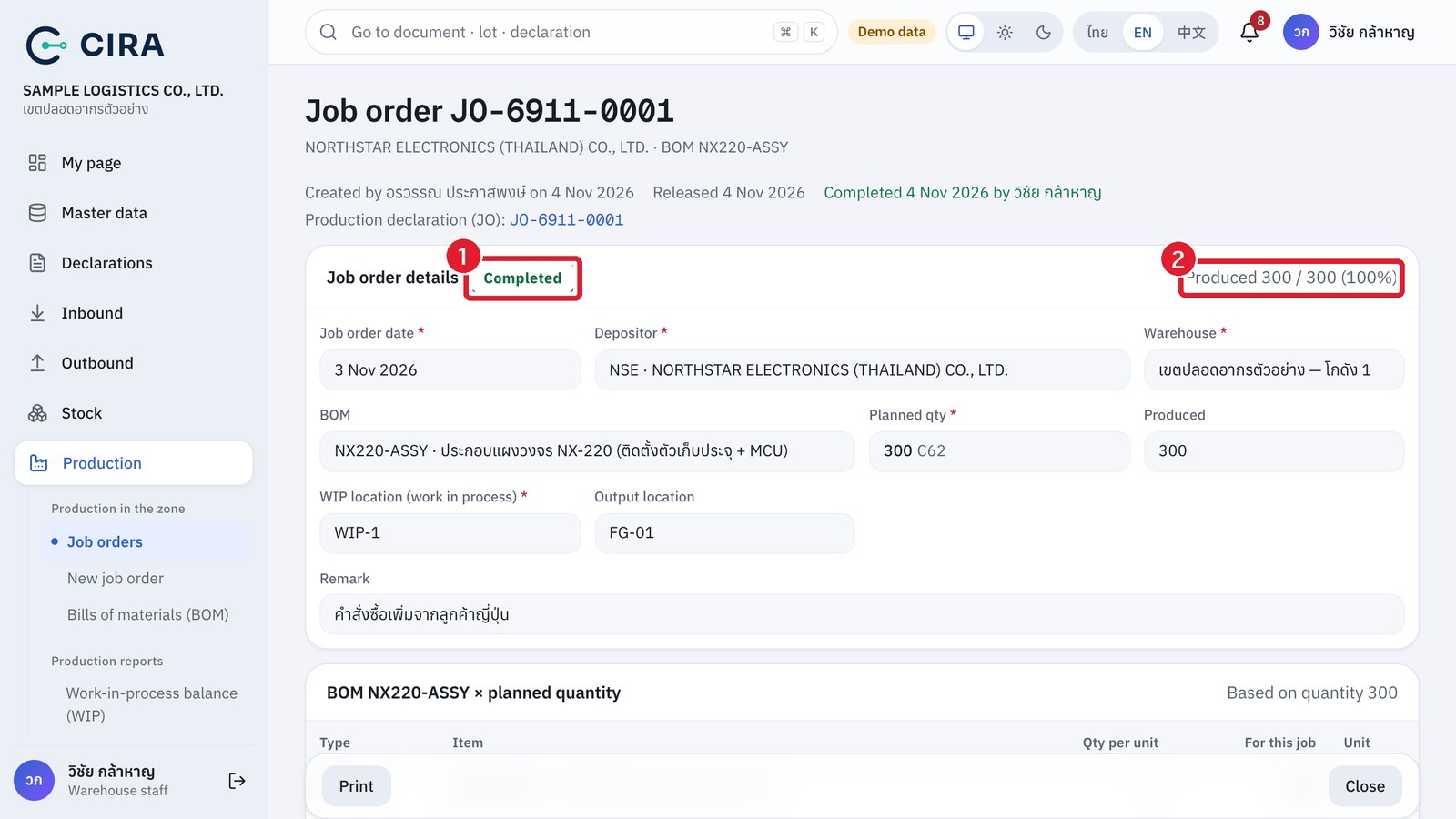
Production receipt (output into the warehouse, materials written off from WIP)
The screenshots and data in these docs belong to a sample company (Sample Logistics Co., Ltd.); the depositors, items, documents and numbers are fictitious.
On this page
Production receipt
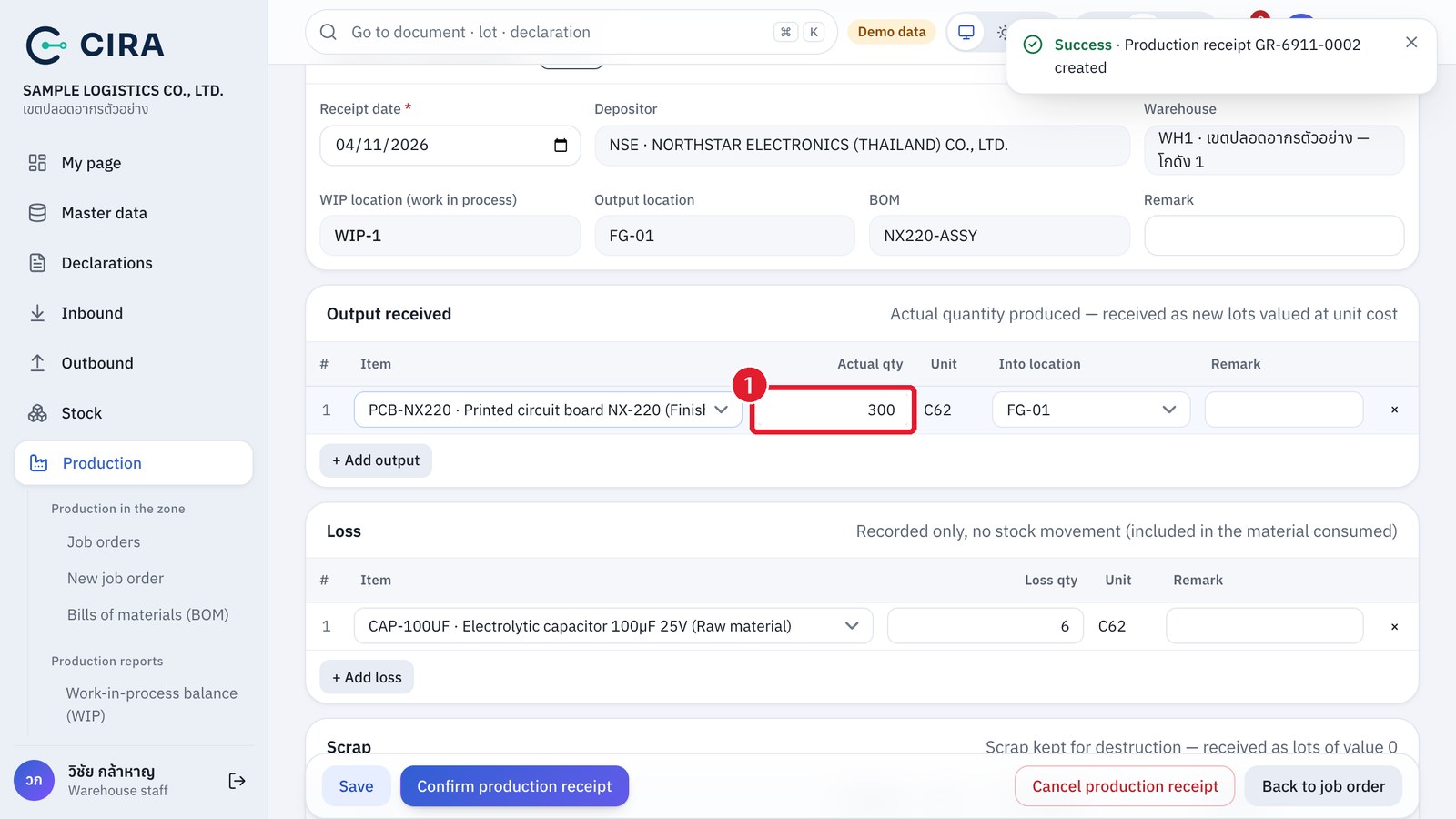
Scrap and material consumed
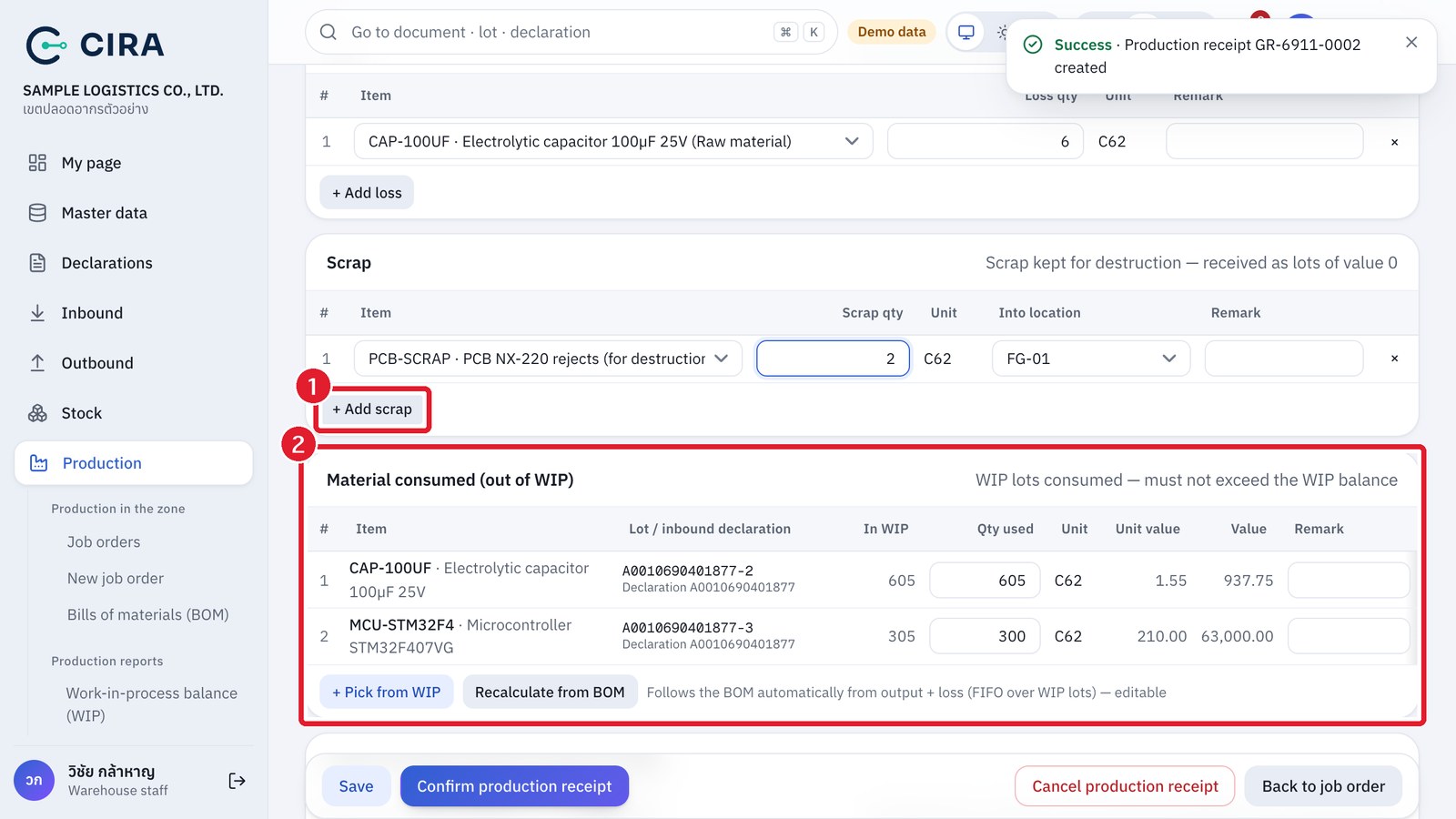
Output cost and confirmation
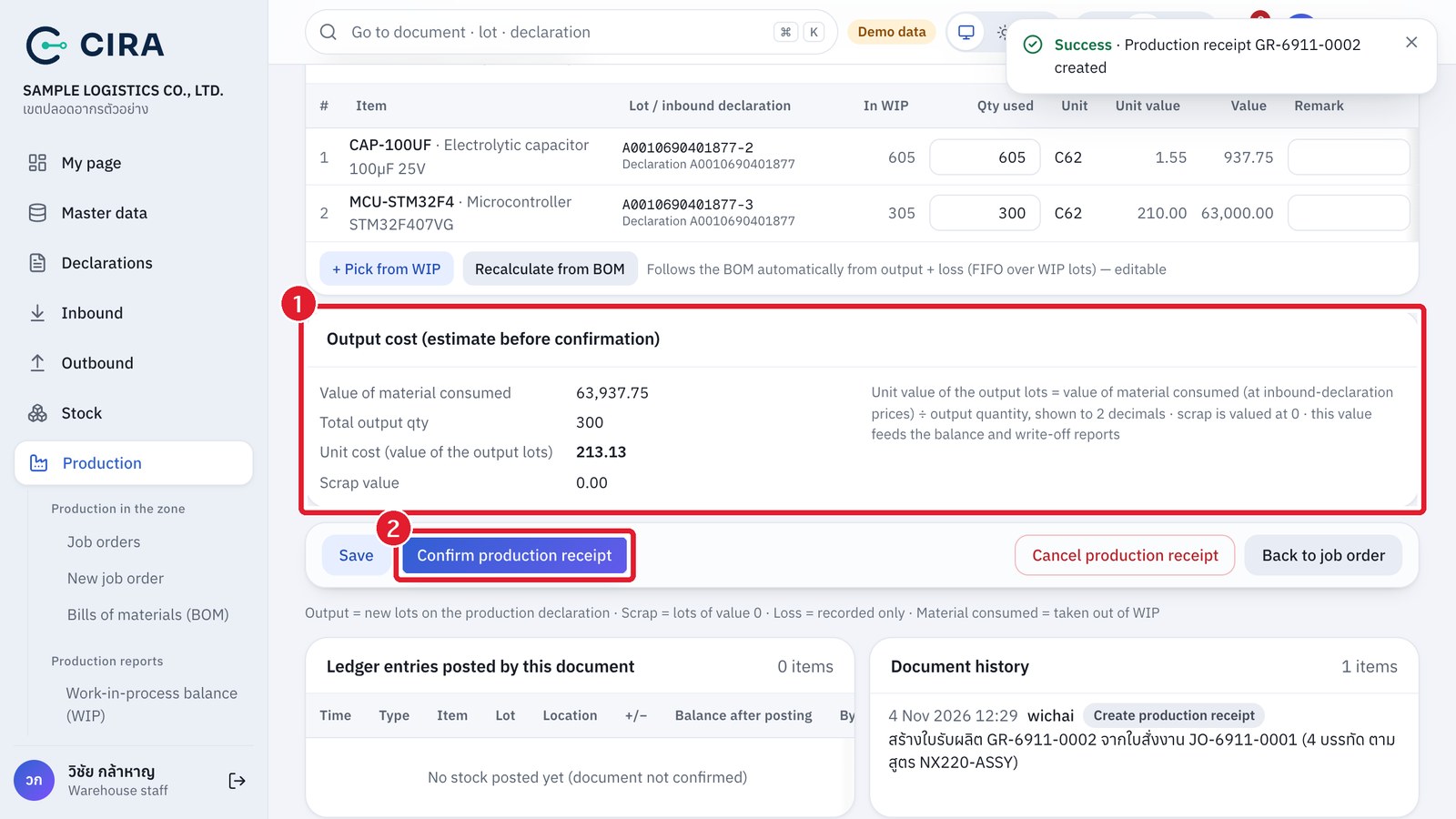
After the production receipt is confirmed
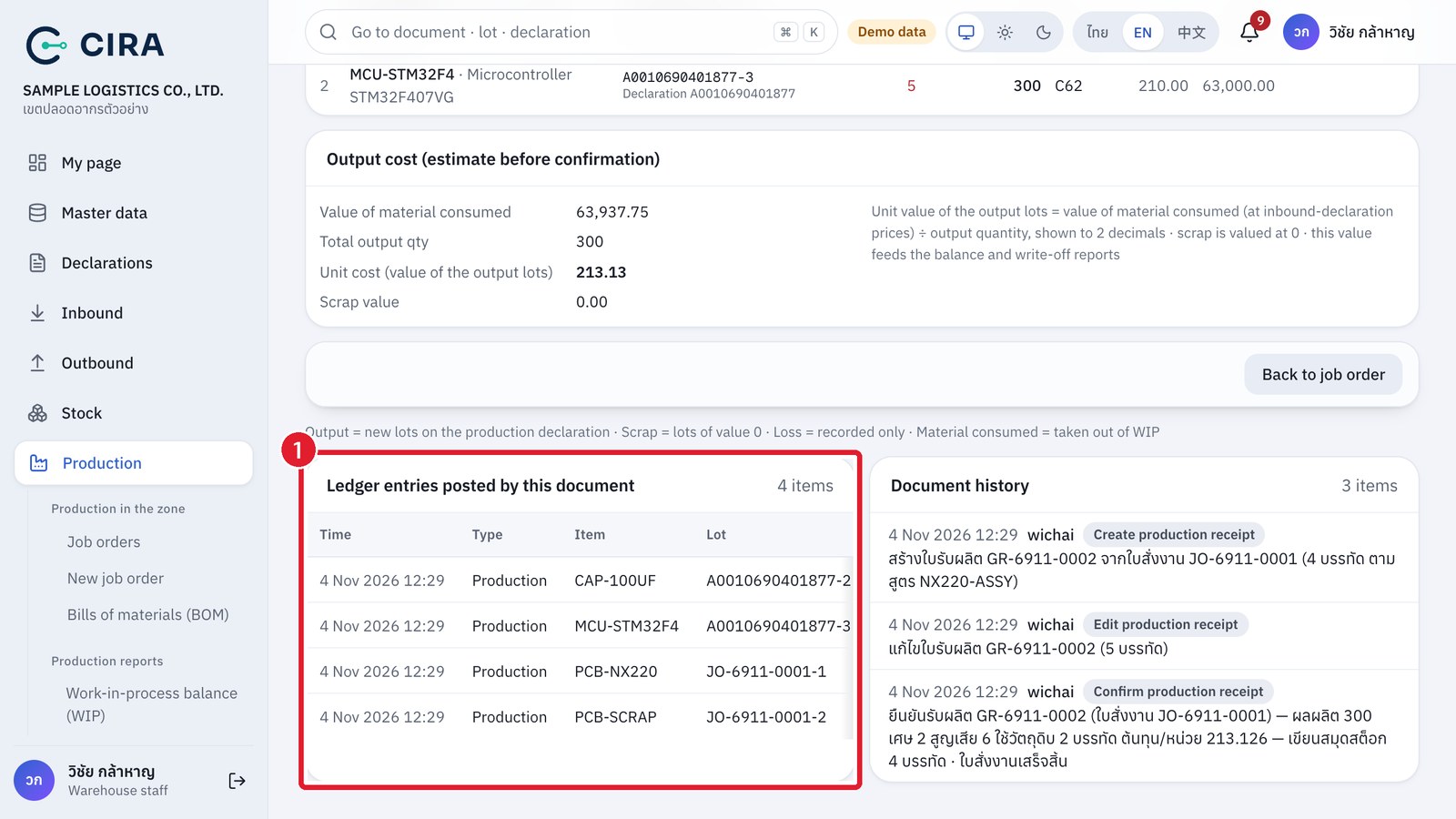
- Goods made in the zone have no inbound declaration, so the system creates a production declaration of type JO (number = job order number, 0409 date = production receipt date, 2-year deadline under the rule), the first time only. Output lots are named
JO-YYMM-####-nand work on goods issues, outbound declarations, reports FZ2–FZ6 and the stock card just like imported lots. - Loss (LOSS) records a quantity and does not move stock by itself. The missing material is already included in "Material consumed", so stock always matches what is really there. Scrap is received as a lot of value 0 awaiting destruction (it appears in FZ5).
- If WIP holds less material than the BOM needs (BOM × output + loss), only what is in WIP can be written off, and an orange warning above the material-consumed table says which items are short and by how much. Draw the rest with a material requisition before confirming, or correct the output / loss to what really happened.
- A job order completes automatically when the full plan has been produced, or press Close job order when the job ends short of the plan (at least 1 confirmed production receipt is needed, and no draft may be open). Requisitions and production receipts can be cancelled only while they are drafts. Cancel job order is possible while there is no confirmed requisition or production receipt (confirmed production documents cannot be reversed in this version: correct them with a new requisition or production receipt, or a stock adjustment).
Completed job order