Stock counts and variances
The screenshots and data in these docs belong to a sample company (Sample Logistics Co., Ltd.); the depositors, items, documents and numbers are fictitious.
Count sheet
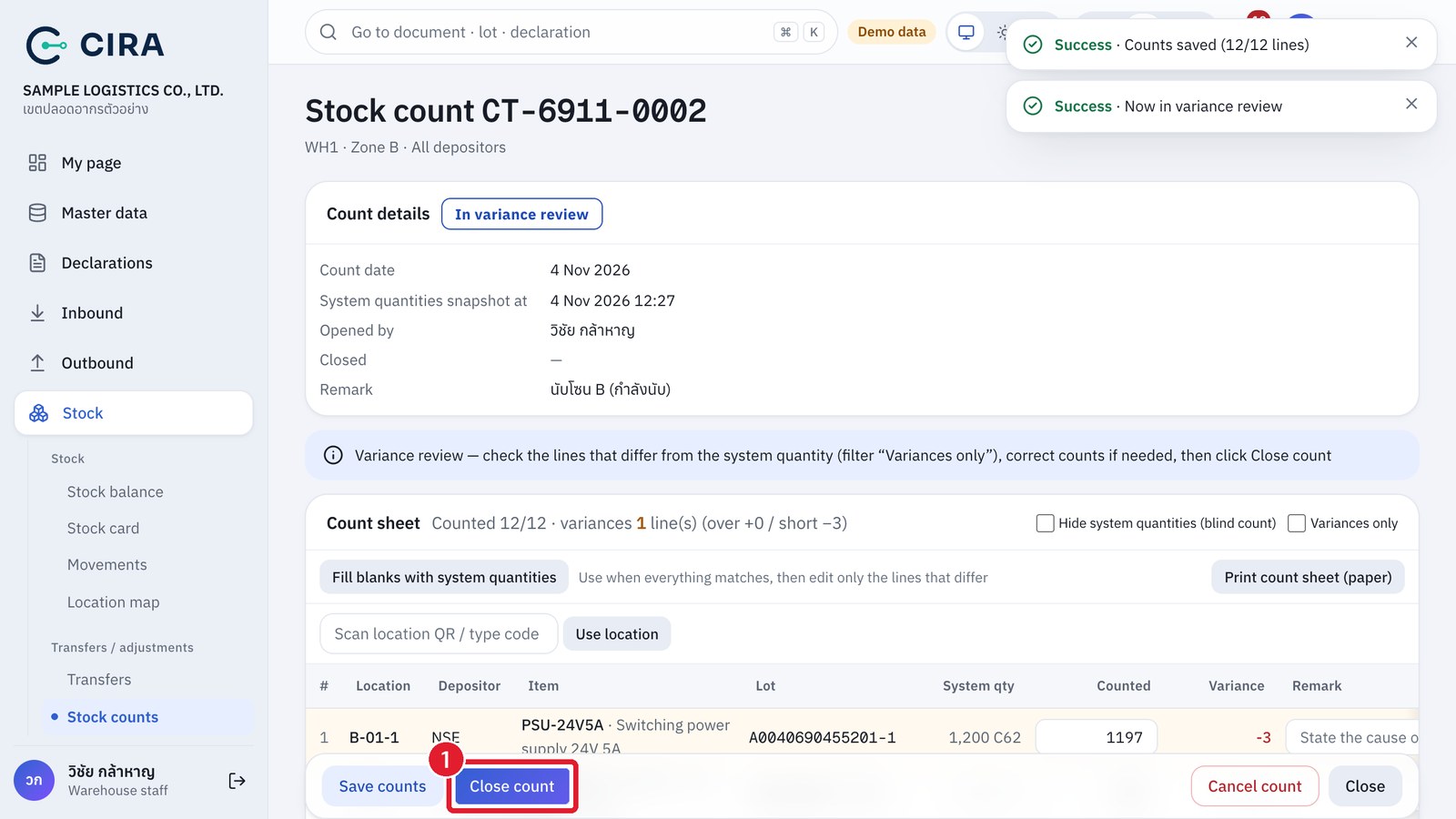
Close count
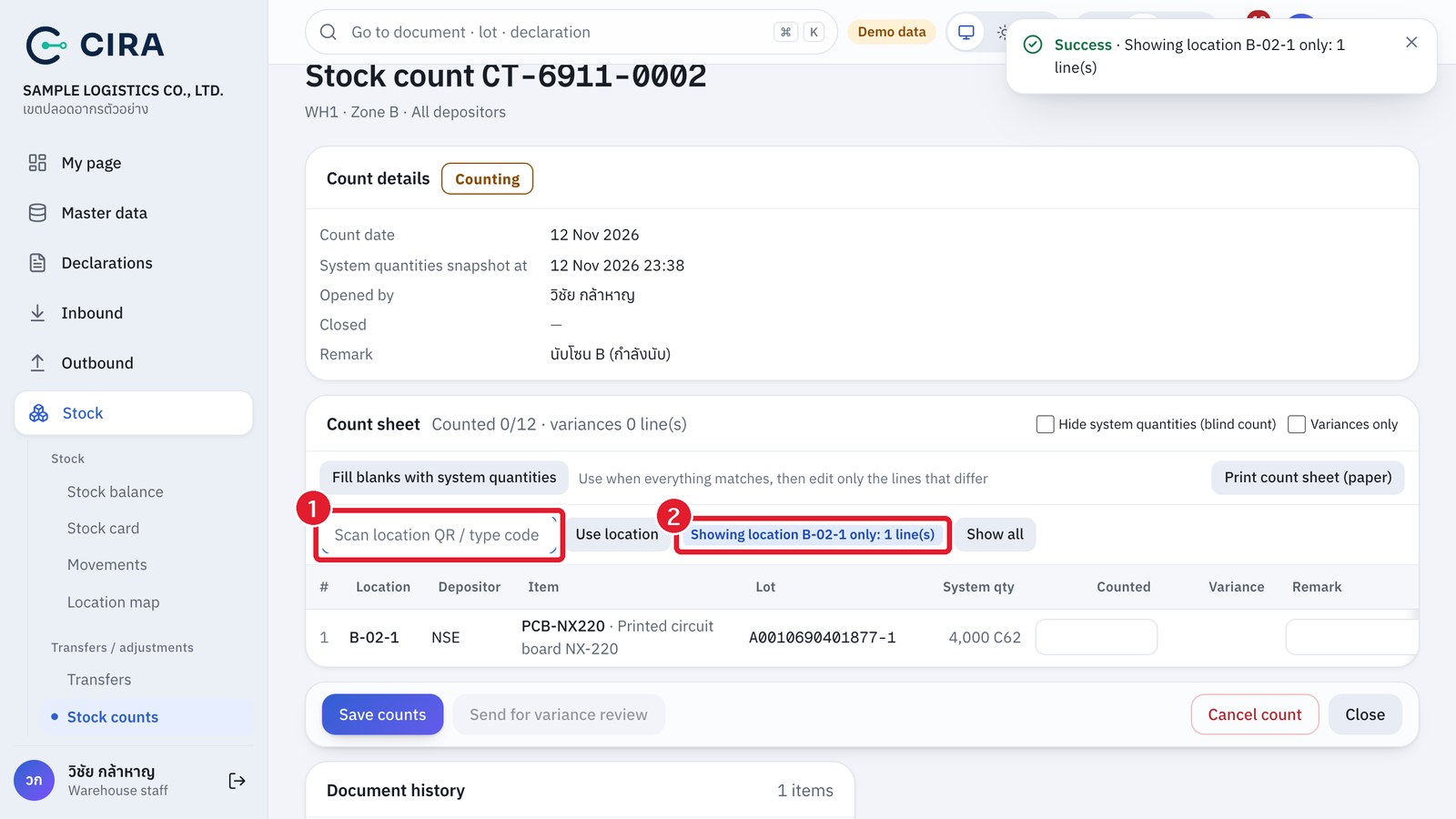
Scanning a location on the count sheet
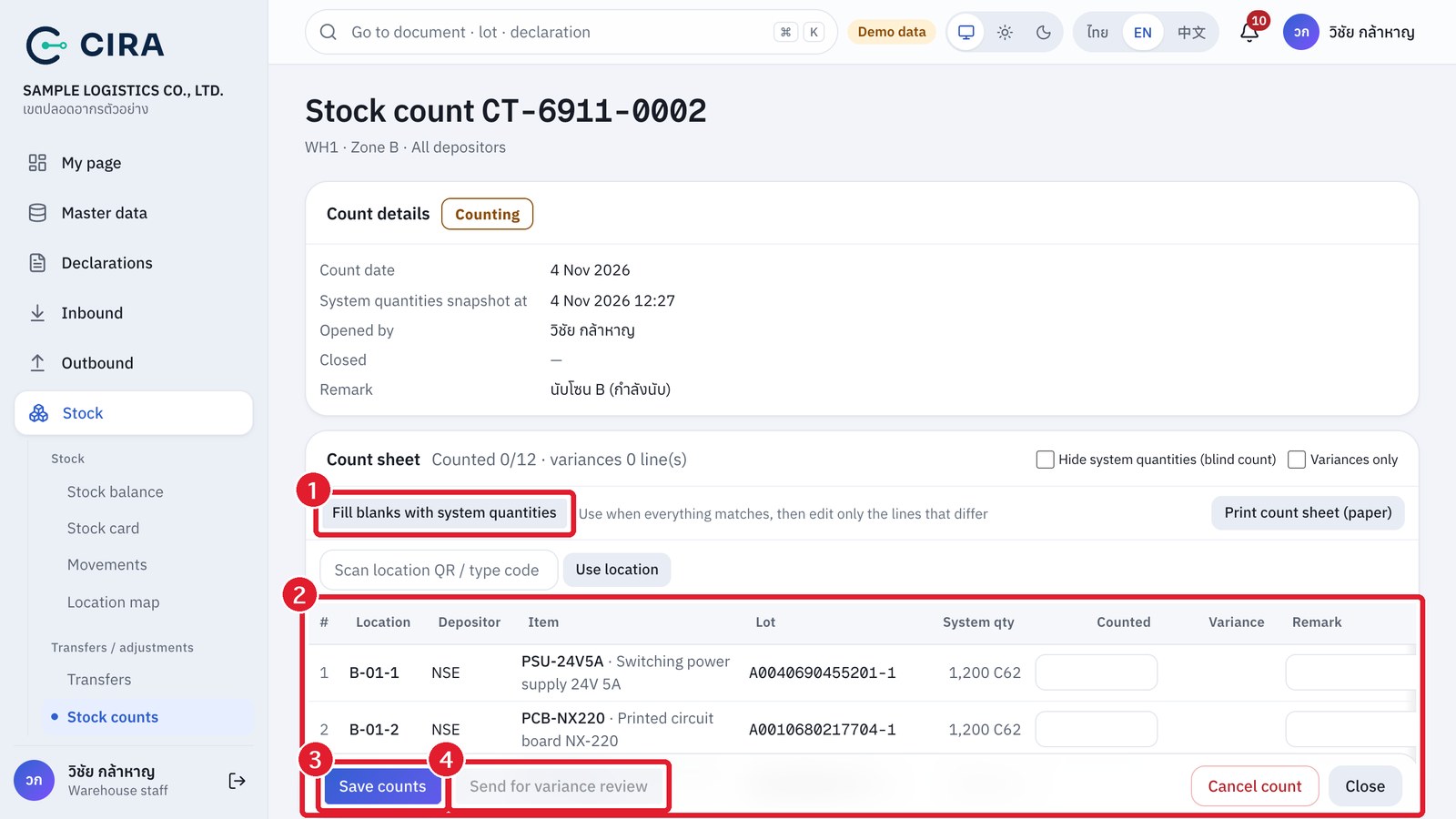
- Stock › Stock counts › Open count: choose the warehouse, zone and depositor (blank = all). The system takes a "snapshot of system quantities" for every location holding goods.
- Key in Counted row by row (the Fill blanks with system quantities button is for when everything matches and you then edit only the lines that differ). Tick Hide system quantities (blind count) to count without seeing the figures. Use Print count sheet (paper) to count on the floor.
- You can Save counts (F8) as many times as you need. When every row is counted, press Send for variance review (still editable) → Close count.
- Counting on the floor with a phone or tablet: read the location QR label on the rack with a scanner connected to the device (for example a Bluetooth scanner), or type the location code into the scan field and press Enter. The table shows only the lines of that location. Key in the quantities, then scan the next location. Press Show all to go back to every line.
- The location scan field has no camera button. The phone camera can scan only lot labels, on a goods issue (section 2.2).
- If there are variances, the system creates a stock adjustment "Awaiting approval" for the manager. Stock does not change until it is approved.
- Variance = Counted − the system balance at the time the count was saved, so goods received or issued after the count was opened do not become variances. A count can be closed once every row has a result. When you close it, the Create a stock adjustment from the variances (recommended) box is already ticked.
- Whoever saved the results of a stock count cannot approve the adjustment from that count. If an adjustment or reversal hit the same balance after the count, the system refuses approval: return the adjustment and count that line again.