Location map
The screenshots and data in these docs belong to a sample company (Sample Logistics Co., Ltd.); the depositors, items, documents and numbers are fictitious.
Location map
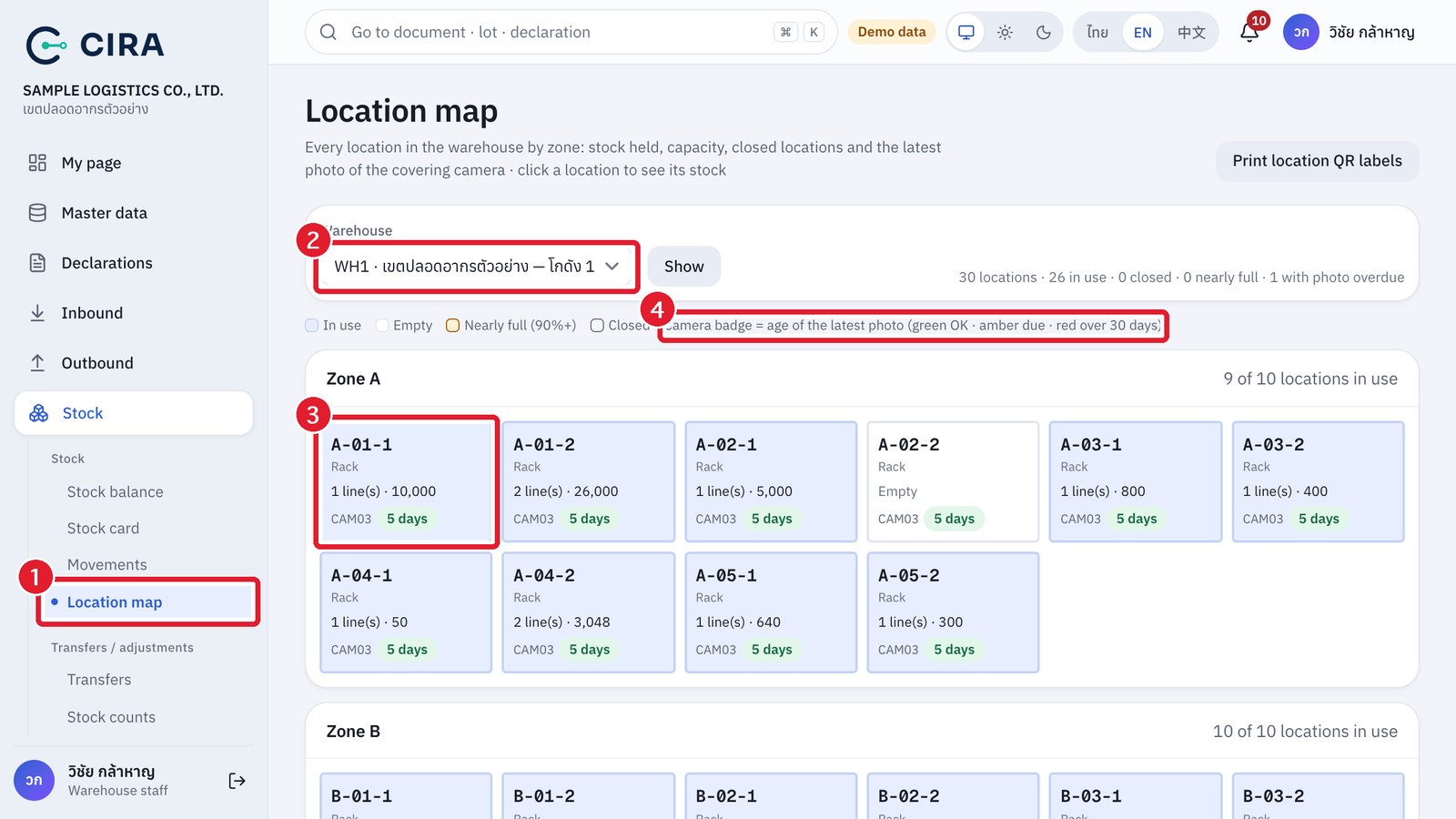
- See every location of a warehouse by zone: Blue In use · Plain background Empty · Yellow Nearly full (90% of capacity or more, with a capacity bar) · Grey Closed. The coloured camera badge shows the age of the latest photo (green OK · amber due · red over 30 days or no photo yet).
- The summary line at the top gives the number of locations and how many are in use, closed, nearly full or with photo overdue.
- Press a location to open the Stock balance page for that location only. The Print location QR labels button at the top right prints the labels of the selected warehouse.