CIRADocs Training videos
EN

Using a phone at the warehouse

The screenshots and data in these docs belong to a sample company (Sample Logistics Co., Ltd.); the depositors, items, documents and numbers are fictitious.

Phone · Phone, goods receipt
PhonePhone, goods receipt
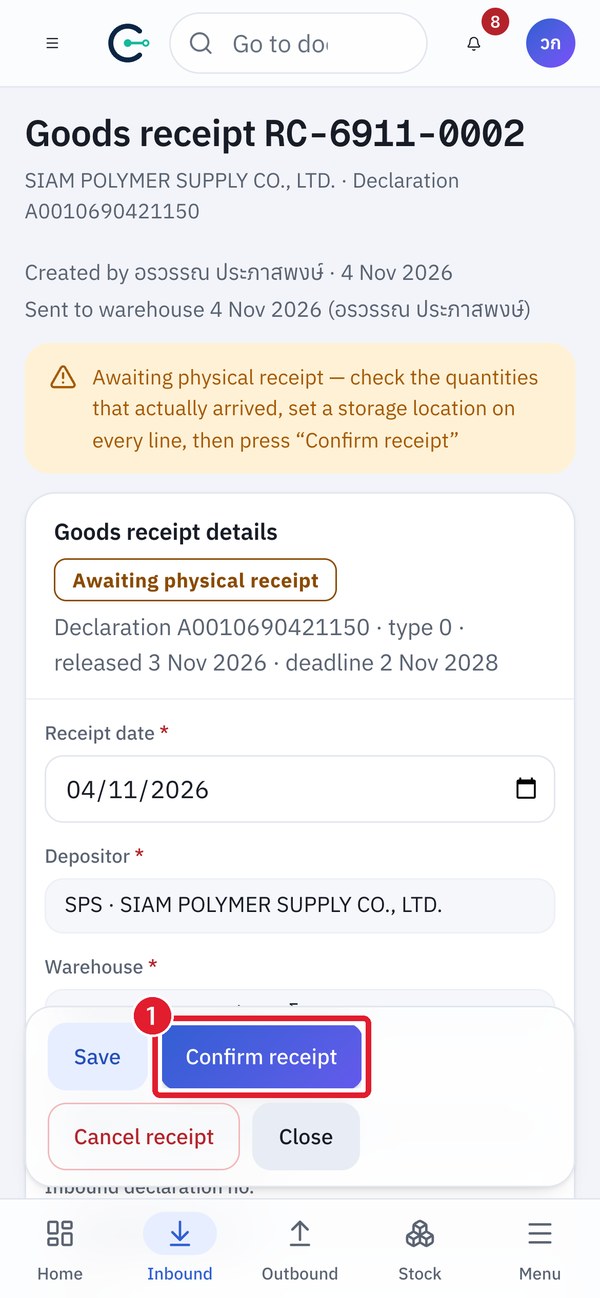
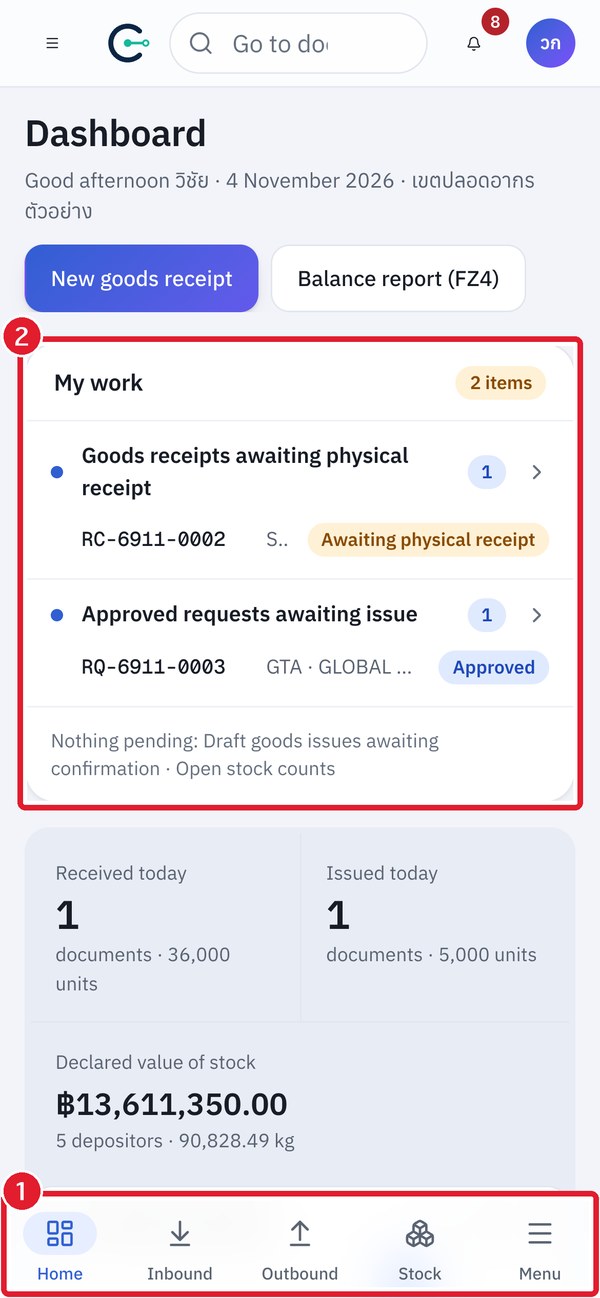
Left: ① Bottom tab bar · ② My work — Right: ① Confirm receipt button in the floating bar at the bottom

Bottom tab bar: Home · Inbound · Outbound · Stock · Menu. You can confirm receipts, count stock and transfer goods from a phone, and the action buttons are always in the floating bar at the bottom.

CIRA · Customs Inventory Reporting & Audit · Content edition 12 November 2026

The screenshots and data in these docs belong to a sample company (Sample Logistics Co., Ltd.); the depositors, items, documents and numbers are fictitious. Red boxes numbered ① ② ③ in the figures mark what to press or fill in, as explained in the caption below each figure.