CIRADocs Training videos
EN

Requisition (materials into WIP)

The screenshots and data in these docs belong to a sample company (Sample Logistics Co., Ltd.); the depositors, items, documents and numbers are fictitious.

On this page
Requisition
Requisition
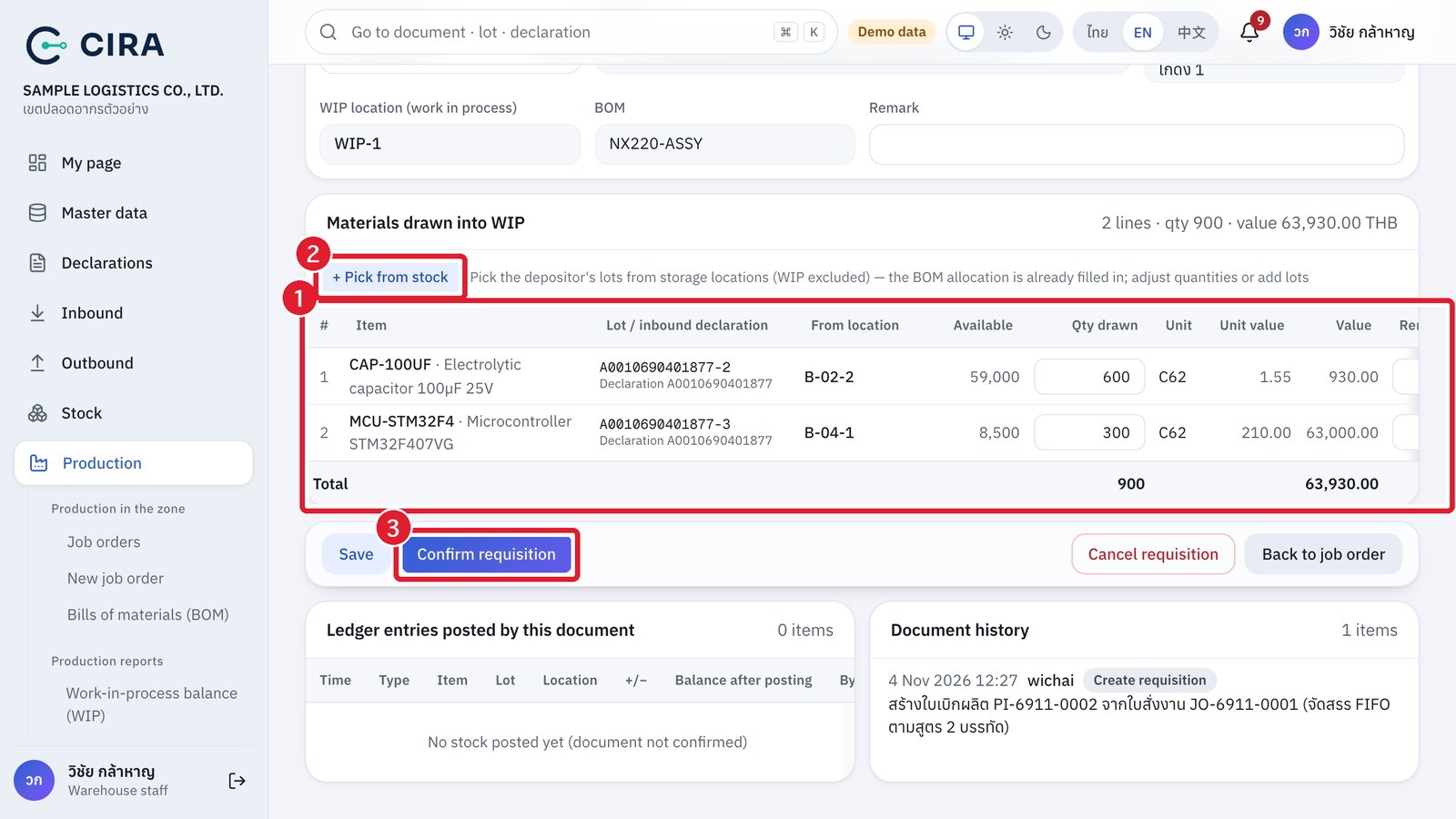
① Lots allocated by the system by FIFO (oldest lot first, lots past the 2-year deadline skipped) · ② Pick from stock (F7) adds a lot or a material outside the BOM · ③ Confirm requisition
After the requisition is confirmed
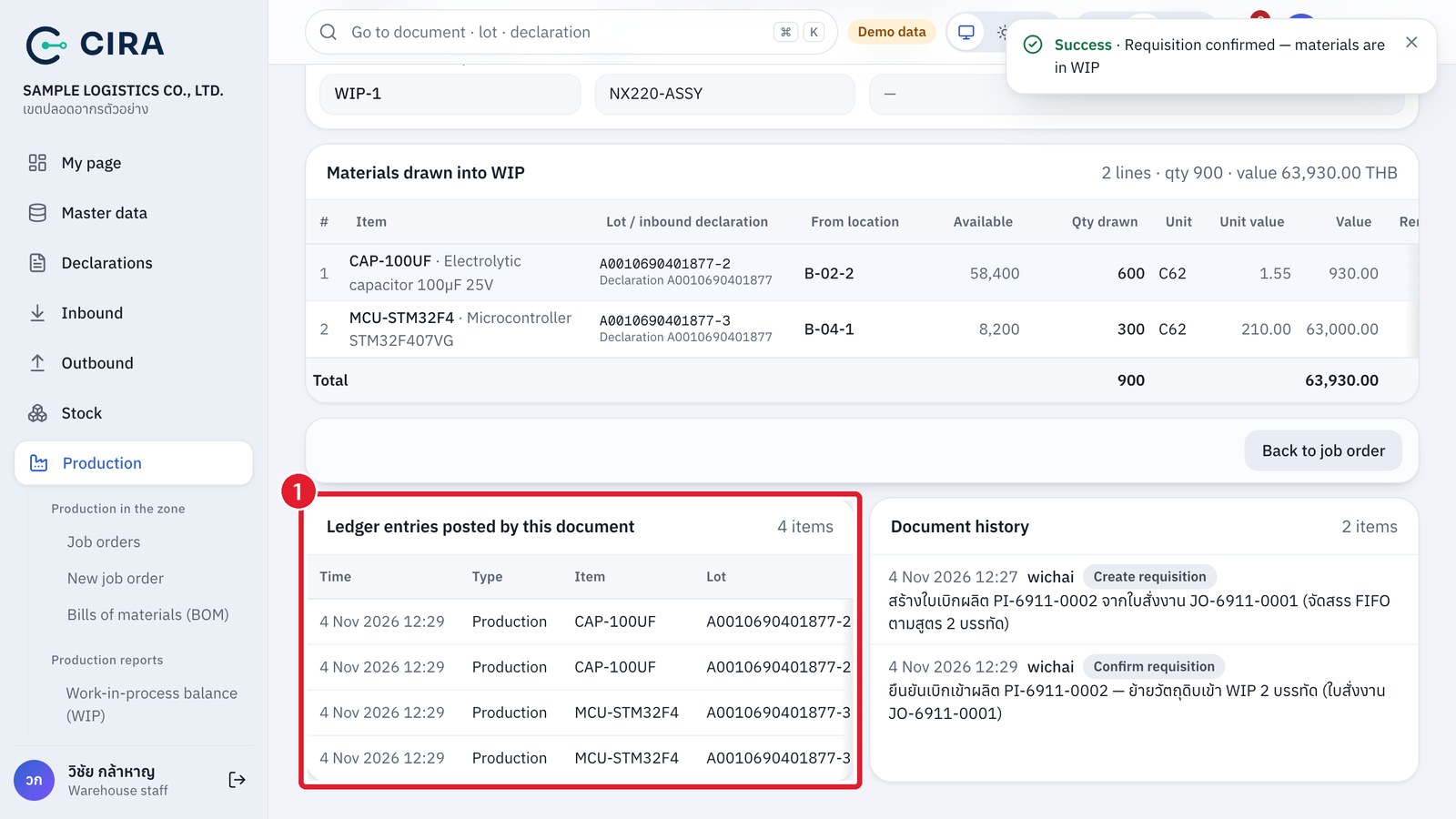
① Ledger entries posted by this document: out of the storage location (−) into WIP (+), same lot, same inbound declaration — the goods are still the depositor's stock in the zone (the document shows the "Confirmed" stamp)
  • On the job order page, press Create requisition → choose From the BOM (FIFO, oldest lots first) or Pick materials by hand (empty requisition). From the BOM = material × planned quantity + the BOM's loss (the production receipt also writes the loss off from WIP, so it is drawn at the same time). If stock is short, the system writes "Insufficient stock for some lines" in the remark.
  • Only warehouse staff, managers and administrators can confirm (permission production.confirm). The job order changes to "In progress".

CIRA · Customs Inventory Reporting & Audit · Content edition 12 November 2026

The screenshots and data in these docs belong to a sample company (Sample Logistics Co., Ltd.); the depositors, items, documents and numbers are fictitious. Red boxes numbered ① ② ③ in the figures mark what to press or fill in, as explained in the caption below each figure.