CIRADocs Training videos
EN

Approve a withdrawal request

The screenshots and data in these docs belong to a sample company (Sample Logistics Co., Ltd.); the depositors, items, documents and numbers are fictitious.

Approve withdrawal request
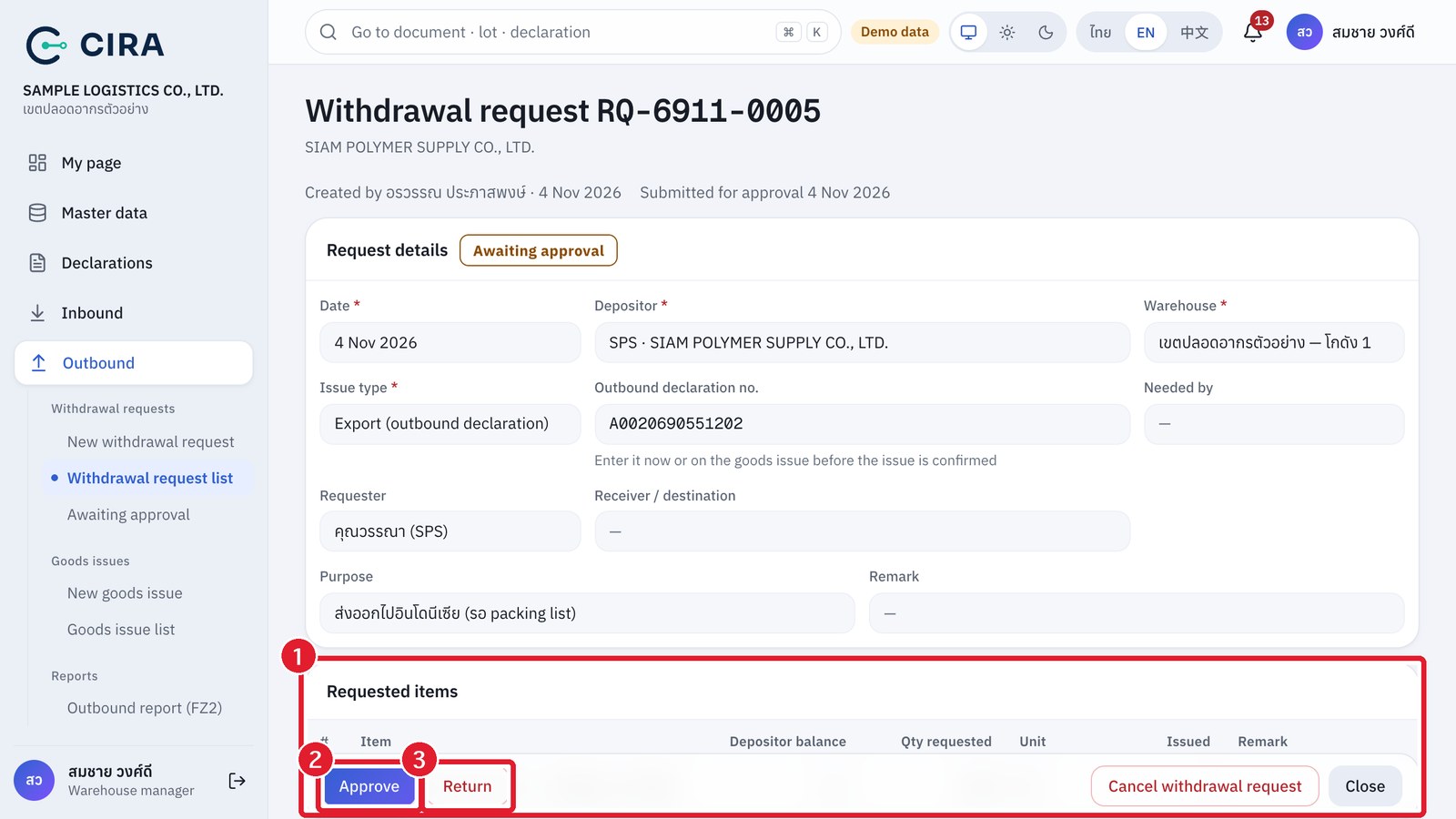
① Requested items (check the quantities against the balance) · ② Approve (F8) · ③ Return (a reason is required)

Dashboard › Withdrawal requests awaiting approval → open the request → check the depositor, the outbound declaration and the quantities against the balance → Approve (F8) or Return (a reason is required; the creator sees it, corrects the request and submits it again).

CIRA · Customs Inventory Reporting & Audit · Content edition 12 November 2026

The screenshots and data in these docs belong to a sample company (Sample Logistics Co., Ltd.); the depositors, items, documents and numbers are fictitious. Red boxes numbered ① ② ③ in the figures mark what to press or fill in, as explained in the caption below each figure.